
5 Must-Have Tech Gadgets for Remote Workers
Working remotely has become the new norm for many, and having the right tech gadgets can significantly enhance productivity and comfort. In this article, we highlight 5 must-have tech gadgets that every remote worker should consider. From ergonomic accessories and noise-canceling headphones to smart devices that boost efficiency, these tools are designed to create an optimal workspace and improve your work-from-home experience. Whether you're managing meetings, staying organized, or simply ensuring comfort, these gadgets will help you thrive in a remote work environment.
3/10/20254 min read
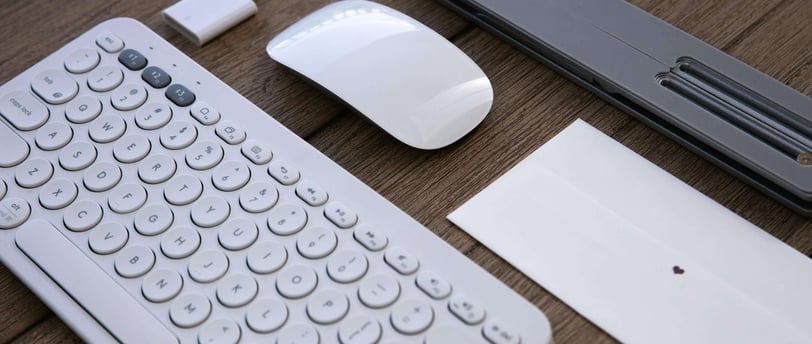
As remote work becomes more common, ensuring a comfortable, efficient, and productive workspace has never been more important. Whether you’re working from home full-time or just need a few gadgets to make your remote work experience smoother, the right tech tools can make a big difference. From ergonomic setups to noise-canceling solutions, here are five must-have tech gadgets for remote workers that will enhance your productivity, comfort, and overall work experience.
1. Noise-Canceling Headphones: A Must for Focus and Clarity
In a remote work environment, distractions are inevitable, especially if you don’t have a quiet, dedicated office space. Whether it’s the hum of traffic, background conversations, or household noises, staying focused can become a challenge. This is where noise-canceling headphones come in.
Noise-canceling headphones, such as the Sony WH-1000XM5 or Bose QuietComfort 45, are designed to block out unwanted external noise, allowing you to fully immerse yourself in your work. These headphones use advanced technology to create sound waves that cancel out ambient noise, providing a more peaceful and focused working environment. They’re not just for blocking distractions – many models also come equipped with high-quality microphones for clear, crisp calls, making them an essential tool for virtual meetings and video calls.
Furthermore, noise-canceling headphones can significantly improve the quality of your workday by reducing auditory stress, enabling you to concentrate for longer periods. With longer battery life, these headphones can easily last through an entire workday without needing a charge, allowing you to remain productive and engaged in your tasks.
2. Ergonomic Chair: Comfort for Long Hours
Remote workers often find themselves sitting for long hours at a time. Without the proper seating, this can lead to discomfort, poor posture, and even long-term health issues such as back pain, neck strain, and carpal tunnel syndrome. An ergonomic chair is a must-have for anyone working from home to ensure comfort and promote good posture throughout the day.
Investing in an ergonomic chair, such as the Herman Miller Aeron or Steelcase Gesture, can make a world of difference. These chairs are designed to support the natural curve of your spine, reduce pressure on your lower back, and provide adjustable features like seat height, armrests, and lumbar support. An ergonomic chair helps ensure that you’re sitting in a comfortable and healthy position, which can lead to better focus, fewer breaks for discomfort, and a lower risk of physical strain over time.
When working from home, comfort should be a top priority, and a high-quality ergonomic chair ensures that you can work for hours without the physical pain that can lead to decreased productivity and frustration.
3. External Monitor: A Bigger, Better Workspace
While laptops are portable and convenient, their small screens can often feel limiting, especially for tasks that require multitasking, detailed work, or large spreadsheets. A second monitor can completely transform your remote work setup by expanding your screen real estate, making it easier to keep multiple windows open and improve your workflow.
A 27-inch 4K display like the LG UltraFine 27UN850-W or Dell UltraSharp U2720Q is an excellent choice for remote workers who need more screen space for design work, coding, or virtual collaboration. By using an external monitor, you can work on one screen while keeping email or communication apps open on the other, streamlining your tasks and making you more productive. With better resolution and color accuracy, these monitors also provide a more comfortable viewing experience for extended periods of use.
Having a larger screen reduces the need for constant window switching and enables you to keep everything organized and accessible, improving your efficiency. If desk space allows, a dual-monitor setup is even more beneficial for multitaskers, offering even more flexibility.
4. Wireless Keyboard and Mouse: Seamless Control
A wireless keyboard and mouse are essential for any remote worker looking for an ergonomic and clutter-free setup. Using a laptop’s built-in keyboard and trackpad can quickly lead to discomfort, especially if you're spending hours typing or navigating through long documents. A high-quality wireless keyboard and mouse help alleviate the strain on your wrists and arms while offering greater precision and comfort.
Consider the Logitech MX Keys for a comfortable, responsive typing experience, and pair it with the Logitech MX Master 3 mouse, which provides excellent ergonomics, customizable buttons, and precision scrolling for a smooth workflow. These wireless devices connect via Bluetooth or a USB receiver, reducing cable clutter and giving you more flexibility in your workspace.
A wireless keyboard and mouse also allow you to create a more spacious and organized desk setup. Whether you work at a standing desk or a traditional desk, you can position these devices to suit your posture, reducing the risk of repetitive strain injuries.
5. Smart Desk Lamp: Lighting That Boosts Productivity
Proper lighting is essential for creating an optimal work environment. Poor lighting can cause eye strain, headaches, and fatigue, all of which can hinder productivity. A smart desk lamp not only provides the right amount of illumination but also helps create a healthier and more focused workspace.
Look for a desk lamp like the BenQ e-Reading LED Desk Lamp or the LIFX Beam. These lamps come with adjustable brightness levels and color temperature settings that allow you to customize the light based on the time of day and your specific needs. For example, cooler light during the day can help improve focus and alertness, while warmer light in the evening can create a more relaxed atmosphere and reduce eye strain before bedtime.
Some smart desk lamps also include features like auto-dimming, USB charging ports, and touch controls, which make them even more convenient and user-friendly. By offering customizable lighting, these lamps ensure that you have the perfect lighting for your work, whether you’re reading, writing, or video conferencing.
Bonus Gadgets:
Webcam and Microphone: For high-quality video calls and meetings, consider upgrading your laptop's built-in webcam and microphone with a Logitech C920 HD Pro webcam and Blue Yeti USB microphone for superior clarity.Link 1:https://amzn.to/3DAN5S0 Link 2:https://amzn.to/3XIRg50
Portable Charger: Ensure your devices stay powered throughout the day with a portable charger or power bank, which provides an extra layer of convenience for remote workers who are constantly on the move.
Conclusion: Elevating Your Remote Work Setup
Working remotely can be incredibly rewarding, but to make the most of it, having the right tech gadgets is crucial. From noise-canceling headphones to ensure concentration in a noisy environment, to ergonomic chairs that support long hours of productivity, and external monitors that expand your workspace, these gadgets help create an efficient, comfortable, and well-equipped remote work setup.
Investing in quality tech tools will not only improve your productivity but also enhance your overall remote working experience. The right combination of gadgets can help reduce distractions, eliminate physical strain, and optimize your workflow, ultimately helping you get the most out of your remote work environment.
Tech
Stay updated with the latest tech innovations.
Gadgets
News
fellipefppms@gmail.com
+19544933295
© 2025. All rights reserved.